











































-160x160w.jpg)




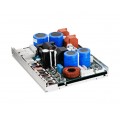







- Stock: Out Of Stock
- Brand: Dayton Audio
- Model: SPA500 DSP
- Weight: 5.00 Kg


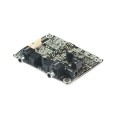
Dayton Audio SPA500DSP 500W Subwoofer Plate Amplier with DSP
The Dayton Audio SPA500DSP digitally processed plate amplifier offers an elite level of control over your entire system (i.e. subwoofer and mains). This unique amplifier allows you to fine tune your system's low frequency performance, and at the same time high pass to your mains (or satellites) protecting them from damage due to over excursion.
Highlights
DSP functions include: 7 PEQ bands, LPF, phase, subsonic filter, limiter, mains delay, and HPF
Single-knob control panel with high-contrast LCD display and status LEDs
Fast, intuitive PC-based GUI software enables full access to the DSP functions
Efficient Class D output topology ensures high-impact low frequency performance
Includes both balanced and unbalance line level inputs and outputs
Product Details
Dayton Audio SPA500DSP 500W Subwoofer Plate Amplier with DSP
Dayton Audio's SPA500DSP true 500 watt digital switching plate amplifier features advanced signal processing control that every audio enthusiast wants. This power and flexibility is accessible via PC-GUI software and our innovative single-knob LCD control panel.
DSP Plate Amplifier Features

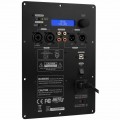
1. Power Mode: Select the either energy-saving or “always-on” power mode
Auto: Amp goes into standby after no detected signal input for 20 minutes*
On: Amp is always on, regardless of input signal status.
* Amp will automatically turn on typically in one second or less once audio signals are resumed.
2. Analog input attenuation: Affects analog balanced and unbalanced inputs only.
Normal: No attenuation.
Hi: Attenuates input signal by -6dB.
3. USB Control: Used for PC-GUI communication with custom PC software included with your amp.
4. Feature Control: Single knob digital actuator with single/double-click enabled with rotary scrolling to navigate the amp’s extensive feature menu.
5. Limiter LED: Lit when Limiter is active (Red).
6. Standby/On LED:
Red when amp is in energy saving “stand by” state.
Green when amp is operating normally.


- Filter ON/OFF Button: Enable or disable the selected filter.Slope: Select roll-off gradient of the selected filter: -12dB/-24dB per octave.Frequency (Hz): Adjust cut-off frequency of the selected filter5-Band Parametric Equalizer
 PEQ Window: Graphical trace is NRT editable. Bands can be shaped by cursor or direct input and/or sliders5 Band-digital PEQ adjustments:Band On/Off: Bypass or enable by clicking the colorized 1~5 buttonsCenter Frequency (CF): Adjust Center Frequency of each EQ band, 10~200Hz, steps: 1Hz.Gain: Adjust the EQ gain (apparent volume), -12 ~ +6dB, steps: 0.1dBQ (EQ width): Adjust the “Q” value, 0.4~16 , step: 0.1


